
$55.00
86 in stock
Compatible with: Latitude 5520, 5530, 5540 and Precision 3560, 7670 Series
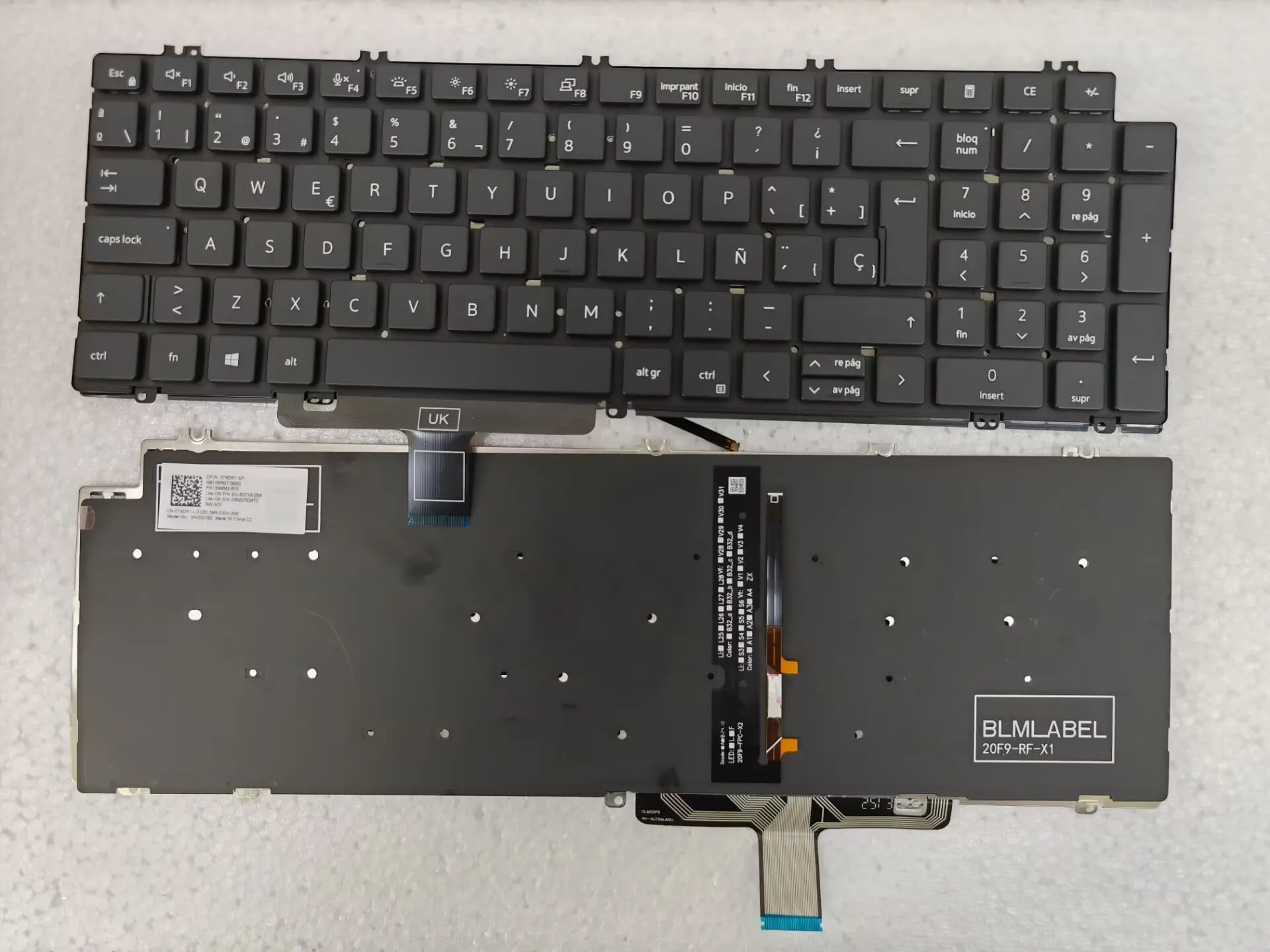
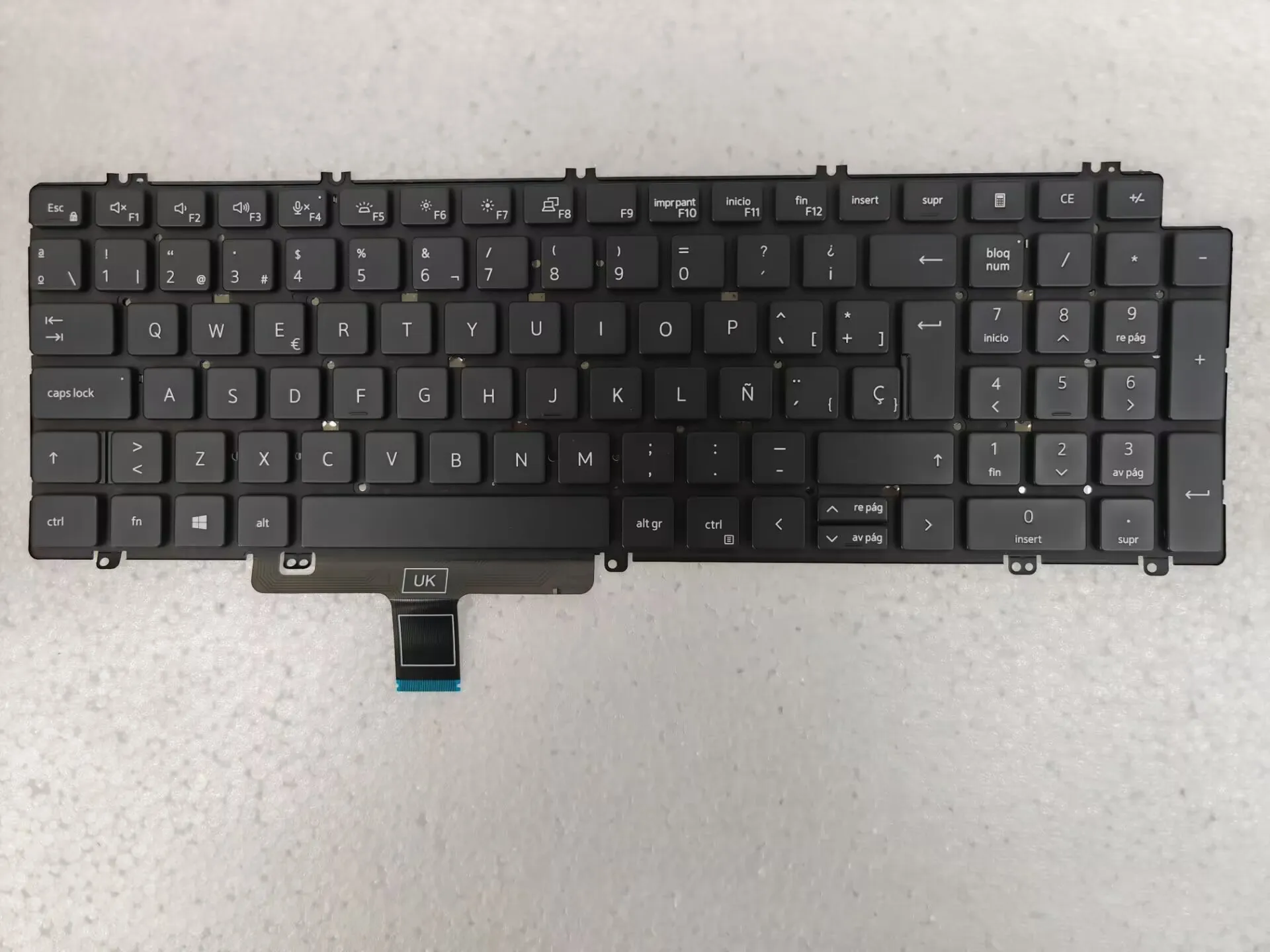
Restore your laptop’s productivity with this premium Spanish Standard (ES) replacement keyboard. Designed specifically for Dell’s high-performance Latitude and Precision lines, this keyboard features integrated backlighting to ensure comfort and accuracy in any lighting condition—whether you’re in a dimly lit office or working late at night.
The keys are UV-processed for long-term durability, ensuring the Spanish characters remain crisp and clear even after millions of keystrokes.
Key Features:
Spanish (Spain) Layout: Features the standard Spanish QWERTY layout, including the “ñ” key and essential special characters for Spanish speakers.
Adjustable Backlighting: Bright, even illumination that can be toggled and adjusted via keyboard shortcuts (usually Fn + F5).
Durable Build: UV-coated keys provide high resistance to wear and fading, designed to withstand up to 10 million presses.
Full Numeric Keypad: Includes a dedicated number pad for efficient data entry and accounting tasks.
Precision Engineering: Built to original equipment manufacturer (OEM) standards for a perfect fit and a responsive, quiet typing experience.
Technical Specifications:
Brand: TSZPY / Compatible OEM
Layout: Spanish Standard (Spain/ES)
Color: Black
Backlit: Yes
Certification: CE
Manufacturer Part Numbers (P/N): V8TK8, 0V8TK8, N7N16 (varies by lot)
Compatible Models:
Dell Latitude: 5520, 5521, 5530, 5531, 5540, 3540, E3540
Dell Precision: 3560, 3561, 3570, 3571, 3581, 7670, 7680
Package Includes:
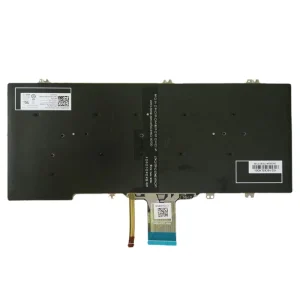
1 x Replacement Spanish Backlit Keyboard
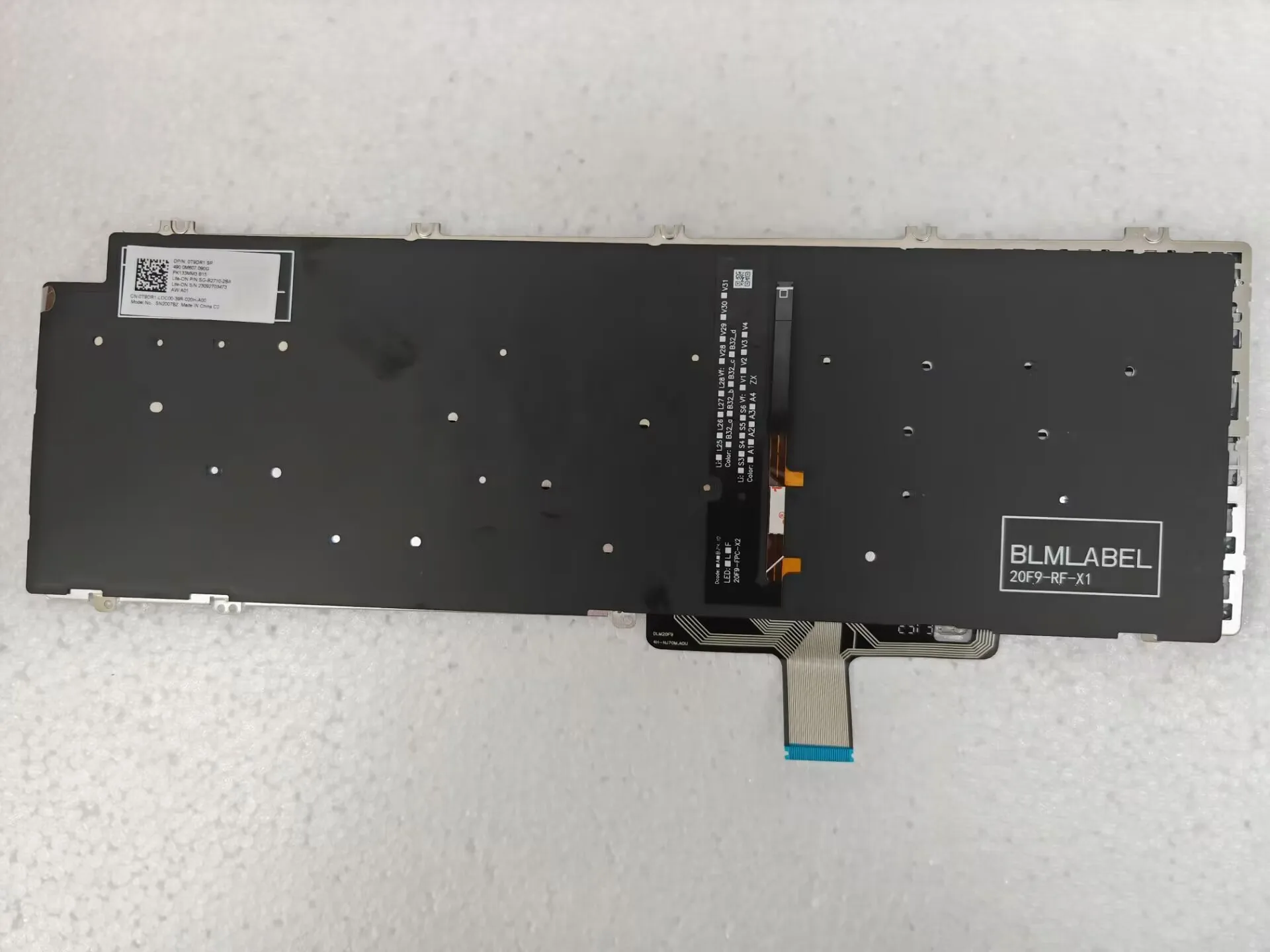
Check Your Ribbon Cable: Before ordering, compare the ribbon cable on your current keyboard to the product photos to ensure the pins and orientation match perfectly.
Backlight Functionality: If your original keyboard was not backlit, please ensure your laptop’s motherboard has the necessary backlight power connector before purchasing this version.
Keyboard Shortcuts: Once installed, you can typically control the backlight using the Fn + F5 keys to cycle through brightness levels.


Reviews
There are no reviews yet.